参考 01第 1 步
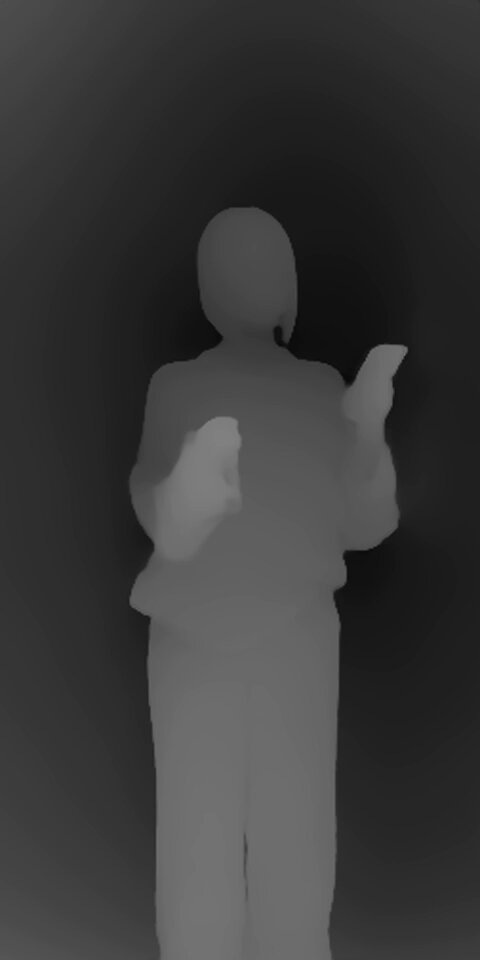
深度视频缩略图
黑白深度参考 · 9:16
▸查看完整出图提示词(点击复制区)
复制
黑白相对深度参考视频缩略图,仅用于身体运动、摄影机后拉和时间节奏。深度亮度代表距离,不是肤色或脸部细节。完整深度视频见 ref-depth-web.mp4。
 成片拆解
成片拆解MiniMax H3 深度驱动:绫波丽 12 秒连续变装,穿过巴黎、罗马、开罗、悉尼。
结构:白底定位 → 地图 App 换城市 → 换装
看完成片再对照:这条片子靠什么在几秒内抓住人。点时间可跳到成片对应位置。
白底上黑发女孩穿黑色水手服低头刷手机,约 2s 头顶冒出一个红色地图定位针。
约 4s 切进地图 App 界面:搜索栏「巴黎」,她换条纹衫站在埃菲尔铁塔前;约 6s「罗马」绿裙,约 8s「开罗」,约 10.5s「悉尼」。
每换一座城市,搜索栏、底部卡片、地标背景和她的服装一起换,姿势跟着城市变。
用地图 App 的搜索栏当转场:输入一个城市名,背景和衣服就跟着换。
别急着上视频模型。这个片子的秘密是:先把角色和场景锁死,再一次生成 7 个镜头。
Picture1 定义 Rei 开场黑色水手服、黑贝雷帽、百褶裙、白膝袜、黑乐福鞋,以及精确脸型、五官、长直黑发与刘海。Picture2–5 定义巴黎、罗马、开罗、悉尼四城的服装、正面姿势、道具、城市地图与 UI。Picture6 是未修改的标准脸部裁剪,作为所有服装的最高优先级面部身份参考。注意:帖内未附这些参考图,需自备或参考原作者素材。
黑白相对深度参考视频,仅用于身体运动、摄影机后拉和时间节奏。深度亮度代表距离,不是肤色或脸部细节。使用场景图片解析每次转身后她的脸和胸部朝向。帖内有深度视频参考。
使用下方完整 12 秒提示词。关键约束:生成一个连续 12 秒竖屏视频,下方分镜标签是连续阶段不是插入剪辑指令。保持参考时间线原速,不压缩开场。只有 Rei 旋转,摄影机不环绕她。背面是旋转中的短暂经过方向,不是停留姿势。每次完成变装后展示她的脸和新服装正面。服装、手持道具、城市地图与城市名 UI 一起更换。
推荐用 GPT Image / 同等图模,比例 4:3。每张点开即可复制完整英文提示词。
黑白深度参考 · 9:16
黑白相对深度参考视频缩略图,仅用于身体运动、摄影机后拉和时间节奏。深度亮度代表距离,不是肤色或脸部细节。完整深度视频见 ref-depth-web.mp4。
单图 · 非 Picture1–6 参考集
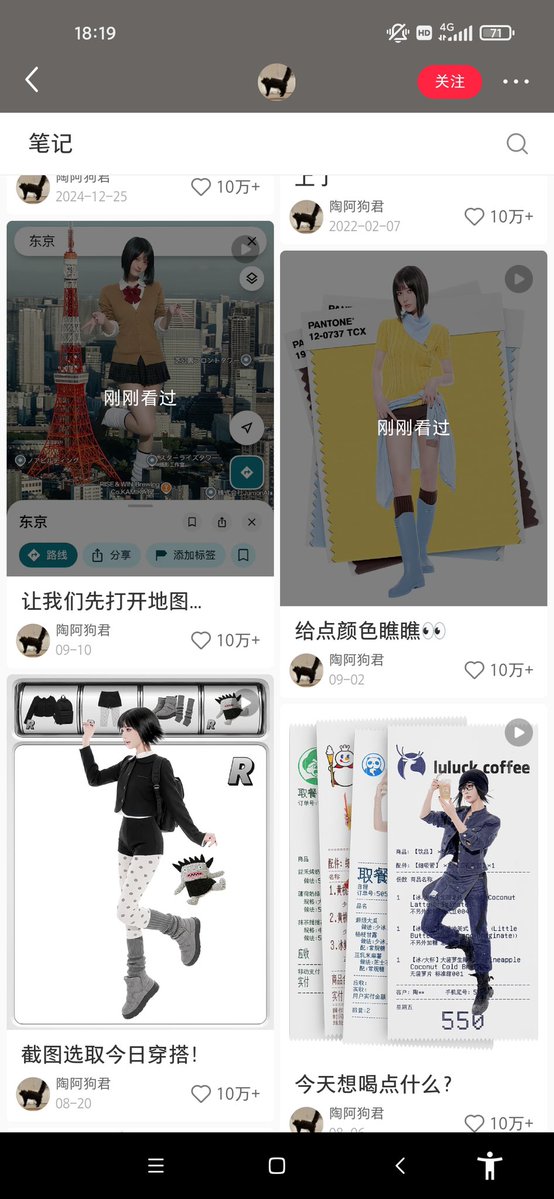
作者 Gary Lau 引用的 @weiyux2021 原帖是一个求图请求帖,仅有单图,不是 Picture1–6 角色换装参考集。Picture1–6 需自备或参考原作者素材。
方便你对照成片理解每一镜在干什么。
直接全选复制到 Seedance。@Image 1–2 必须对应上面 REF 编号。
MiniMax H3 Singularity · 9:16 vertical · Picture1–6 + Video1 refs
<Picture 1> defines Rei's original opening black sailor uniform, black beret, pleated skirt, white knee socks and black loafers, as well as her exact face, natural facial proportions, long straight black hair and bangs throughout. Use this uniform for the white-studio opening only; do not reproduce the character-sheet layout. <Picture 2> defines her Paris outfit, front-facing presentation pose, drink, sunglasses, city map and UI. <Picture 3> defines her Rome outfit, front/three-quarter presentation pose, props, city map and UI. <Picture 4> defines her Cairo outfit, presentation pose, shopping bags, city map and UI. <Picture 5> defines her Sydney outfit, front-facing finishing pose, city map and UI. <Picture 6> is an unmodified slightly turned standard face crop from the original Rei character card. It is the highest-priority facial identity reference for ALL outfits: preserve its eye shape and spacing, eyelids, nose, lips and natural proportions without beautification. Picture 1 supplies the same identity and opening uniform. Pictures 2–5 supply new city outfits and environments, never a substitute face. These are the same person in different clothes.

<Video 1> is a black-and-white relative-depth reference for body movement, camera pullback and chronological timing only. Depth brightness represents distance, not skin color or face detail. Render natural full color using the pictures. A featureless face in the depth map must not become the back of Rei's head. Use the scene pictures to resolve which way her face and chest point after each turn.

Generate ONE continuous 12-second vertical video. The timed Shot labels below are successive phases of this one output, not instructions to insert camera cuts. Keep the reference timeline at its original speed. Do not compress the opening to make room for the cities. Only Rei rotates during transformation; the camera must not orbit her. A back view is a brief passing orientation during a spin, never a held destination pose. Each completed transformation reveals her face and the FRONT of the new outfit, as in its corresponding picture. Change clothing, handheld props, city map and city-name UI together; do not change only the background while leaving the previous outfit.

Shot 1 [0.00–2.50 seconds]: White studio and opening black sailor uniform from <Picture 1>. Rei looks at the phone held in front of her chest. Follow the opening camera pullback in <Video 1>. Her torso remains generally facing the camera; allow the original small phone and head gestures. This interval contains no full-body spin, no location pin yet, no city background and no wardrobe change.

Shot 2 [2.50–3.15 seconds]: The red location pin appears above Rei. This event ONLY adds the pin. She continues looking at her phone in the white studio, still wearing the opening black sailor uniform. The pin does not trigger a spin or a scene change. Do not begin the transformation here.

Shot 3 [3.15–4.05 seconds]: Follow the small preparatory side pivot in <Video 1>, then return toward the camera-facing starting orientation while holding the phone. This is the preparatory movement, not the rapid transformation spin. Retain the opening black sailor uniform, white background and red pin throughout this interval. No Paris map or summer outfit before 4.05 seconds.

Shot 4 [4.05–6.00 seconds]: At 4.05 seconds begin the rapid transformation rotation following <Video 1>. Pass continuously through the side and back orientations without pausing. Around 4.25 seconds, during this rotation, change together into the Paris outfit, drink, sunglasses, map and navigation UI from <Picture 2>. By 4.50 seconds complete the rotation and reveal Rei FACING THE CAMERA, with her face and the front of her navy-and-ivory striped top visible. From 4.50 to 6.00 seconds remain in this front/three-quarter FRONT presentation, with the drink and sunglasses gesture from <Picture 2>. The cream full-length trousers, striped top and red neck scarf replace the opening black sailor uniform completely. No back-facing hold, no phone, no opening black sailor uniform during the Paris presentation. The top search bar and bottom location card both read 巴黎.

Shot 5 [6.00–8.00 seconds]: Begin the next reference turn at 6.00 seconds. Around 6.25 seconds change outfit, props, city and UI to Rome from <Picture 3>. Complete the turn by 6.55 seconds into a front/three-quarter FRONT view showing Rei's face, sage-green midi dress with brown belt. Until 8.00 seconds use the Rome pose with the paper guide and warm Trajan column and Roman Forum map. Both city labels read 罗马. Back-facing frames occur only while the turn is in progress; no stopped back view after the turn.

Shot 6 [8.00–10.00 seconds]: Begin the next reference turn at 8.00 seconds. Around 8.25 seconds change together to the ivory linen shirt, beige full-length trousers, ochre scarf, shopping bags, Cairo map and UI from <Picture 4>. By 8.55 seconds reveal her face and the front of the ivory linen shirt. Hold the front/three-quarter presentation with natural small movements until 10.00 seconds. Both city labels read 开罗. Keep the Cairo outfit and map together; do not introduce previous clothes or Sydney early.

Shot 7 [10.00–12.00 seconds]: Begin the final reference turn at 10.00 seconds. Around 10.25 seconds replace the Cairo clothes and shopping bags, city and labels with the Sydney sky-blue overshirt, white T-shirt, navy knee-length shorts and white sneakers, Sydney Tower map and UI from <Picture 5>. By 10.55 seconds face the camera with the white T-shirt beneath the sky-blue overshirt visible, hands raised and one leg bent backward as in <Picture 5>. Keep this front-facing Sydney presentation with subtle natural movement through 12.00 seconds. Both city labels read 悉尼. No additional spin, destination or wardrobe change after this final reveal.

Keep Rei's identity and long hair throughout. Do not reproduce character-sheet panels, extra people, face closeups or depth-map gray colors. Keep the city UI style consistent; update both location labels at each city change. No generated speech or music.

The angle in Picture 6 describes identity only, NOT a fixed head pose. Face direction, expression, head tilt, hand gestures and full body movement follow Video 1. In Paris the sunglasses are opaque black and fully cover both eyes and eye sockets; no eyes visible through the lenses or above the rims. Keep the sunglasses on.
当前是单页静态站:视频 + 指引 + 可复制提示词。后面可以做成多教程列表、账号、收藏提示词、一键复制、手机竖屏版等。